Hotend Filament Jamming
Filament jamming in the PTFE tube is heat creep: identify it from clicking and a mushroomed tip, then check chamber temperature, heatsink fan and retraction.
This article explains why filament gets stuck inside the PTFE tube on the Vision Miner 22IDEX V4 and how to prevent it. If your printer stops extruding mid-print, the extruder clicks or grinds, or you find a swollen filament plug when you pull the tube apart - the cause is almost always heat creep. Read this article to understand the mechanism and the three most common triggers.
Before you begin - safety and risk
Read the Safety - Before You Begin article to understand the hazards involved in working on the Vision Miner 22IDEX V4 - including electrical, thermal, mechanical, and chemical risks. All procedures in this wiki are provided as recommendations only. By choosing to follow any procedure, you do so at your own risk.
Jamming vs breaking
This article focuses on filament jamming (softening and expanding inside the tube due to heat). If your filament breaks (snaps cleanly) inside the PTFE tube - especially with rigid composites like carbon-filled or glass-filled materials - that is a different issue caused by mechanical stress from tight tube bends. See the Filament Breaks Inside Tube guide instead.
What Is Heat Creep?
Heat creep is the main cause of filament jamming inside the PTFE tube. It occurs when heat from the hotend's melt zone travels upward - through the heatbreak and into the cold side of the hotend - and reaches the filament path above it.
Under normal operation, only the lower part of the hotend (the heater block and nozzle) is hot. The heatbreak and heatsink, cooled by the hotend fan, keep the upper section cold. This creates a sharp thermal boundary: filament stays solid until it reaches the melt zone, where it softens and flows through the nozzle.
Inside that cold section, a PTFE tube acts as a guide: the filament travels down through it and feeds into the hot zone below. As long as the thermal boundary stays where it belongs, this guide tube never heats up and the filament slides through freely.
When heat creep occurs, that boundary shifts upward. The filament starts softening too early - inside the heatbreak, inside the heatsink, or even inside the PTFE guide tube. The softened filament expands, grips the inner walls, and forms a plug that blocks the entire path - so the filament can no longer travel down into the hot zone.
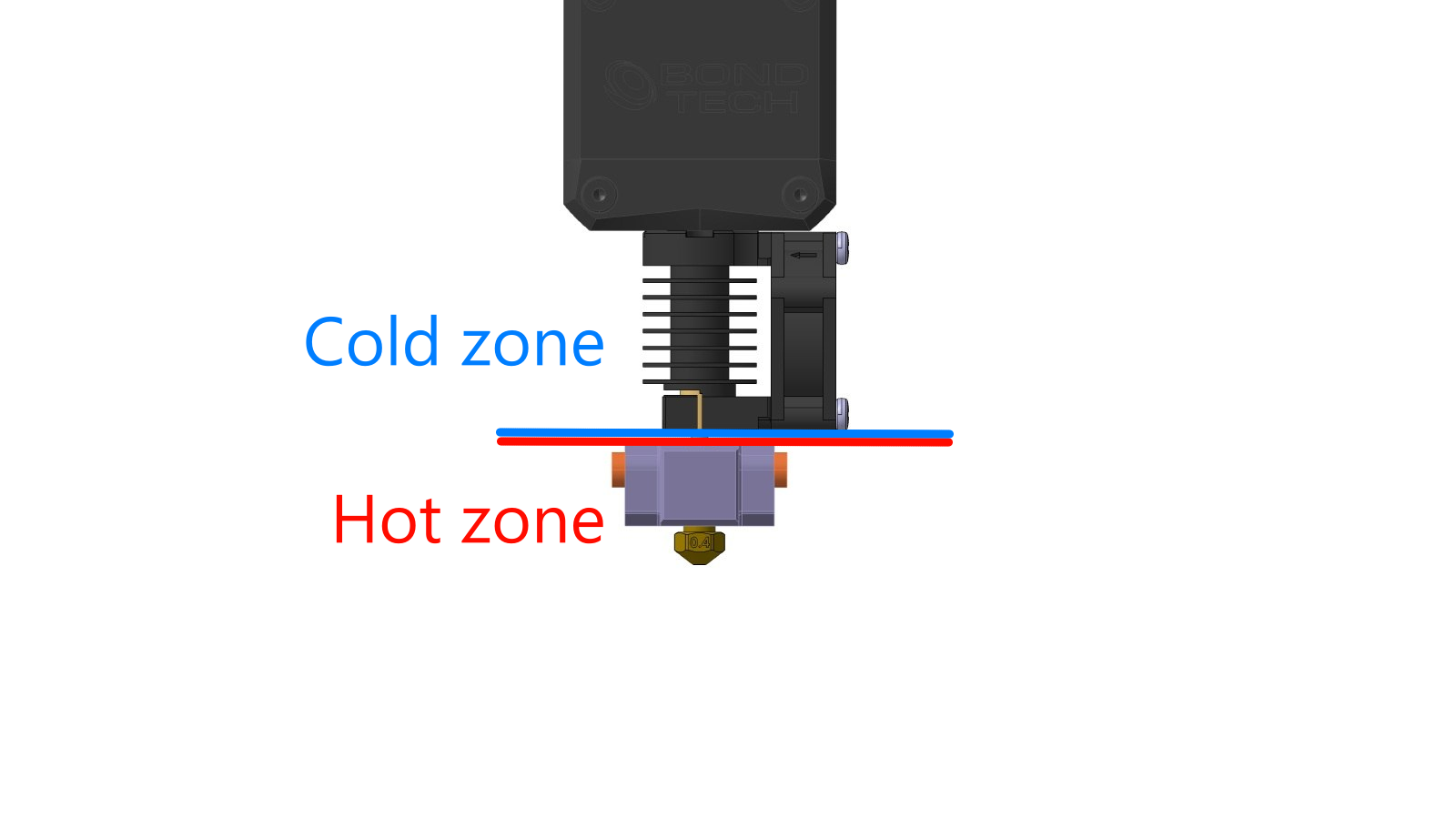
Signs of heat creep:
- Print starts fine but extrusion gradually weakens and stops after some time.
- Extruder motor starts clicking or skipping - it's trying to push filament but the path is blocked.
- When you pull the filament out, the tip has a visible bulge or mushroom shape - wider than the original filament diameter.
Cause 1 - Chamber Temperature Too High
Every material has a maximum safe chamber temperature. If the chamber exceeds it, the ambient heat adds to the hotend's own heat, pushing the thermal boundary upward and causing heat creep.
For example, ABS printed at a chamber temperature of 100 °C will very likely result in heat creep and a jam. The chamber is simply too hot for the cold side of the hotend to stay cold.
PLA is especially sensitive - it should always be printed with the top lid open and the doors open. PLA requires minimal or no chamber heating; a sealed, heated chamber will cause it to jam almost immediately.
How to prevent it:
- Check the recommended chamber temperature for your material before printing.
- For PLA: always print with the top lid and doors open.
- If you experience jamming with any material, try lowering the chamber temperature by 10-15 °C and test again.
Check chamber temperature limits
Always check the recommended chamber temperature limits for your specific material before printing in an enclosed environment. Refer to the material profile settings or the material manufacturer's datasheet.
Cause 2 - Hotend Cooling Fan Not Working
The heatsink fan (mounted on the cold side of the hotend) is responsible for keeping the heatbreak cool. It's the main defense against heat creep. If this fan stops spinning, spins too slowly, or is obstructed, heat will travel upward unchecked - even at normal chamber temperatures.
This fan is under the heaviest load during high-temperature printing, so it most often fails partway through a long job - it can quit after 3-4 hours with several hours still to go, which makes the failure easy to miss. With the nozzle at 380-400 °C and no airflow, the heatsink heats up very quickly: the filament melts inside the heatsink, can no longer travel down, and forms a plug right at the point where it softens. The print stops because the path is blocked.
How to check:
- Preheat the hotend.
- Visually confirm the heatsink fan is spinning at full speed. You should feel airflow from the fan exhaust.
- Check for any debris, filament strings, or obstructions blocking the fan blades.
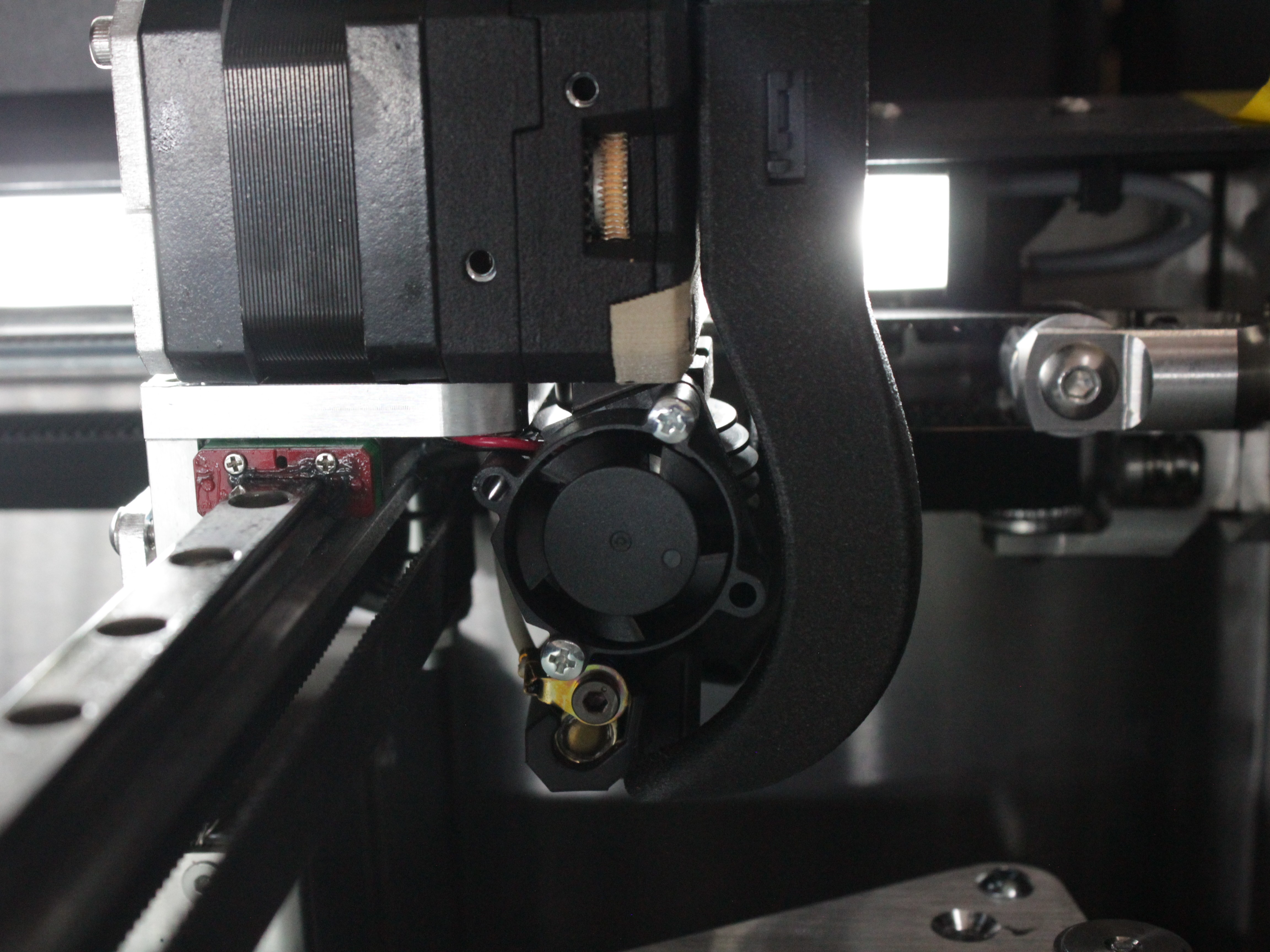
If the fan is not spinning:
- Check the fan cable connection at the toolhead terminal block.
- Check if the fan is commanded on in the firmware. The heatsink fan should run automatically whenever the hotend is heated.
- If the cable is connected and the firmware commands it on but the fan still doesn't spin - the fan may need replacement. See the Fan Replacement guide.
Cause 3 - Incorrect Filament Retraction
When unloading filament - during a filament change, material swap, or manual retraction - pulling it out at too high a temperature causes the still-molten tip to drag upward through the heatbreak and into the cold zone. As it moves up, it cools unevenly, expands, and sticks to the inner walls.
It can also pull a thin string of molten material behind it. That string hardens and stays in the filament path, where it gets in the way when you load the next filament and stops it from feeding through cleanly. This is why you must drop the temperature relative to the printing temperature before retracting.
Correct retraction procedure for the Vision Miner 22IDEX V4:
- Cool down before retracting. Drop the hotend temperature by at least 50 °C below the printing temperature. If you were printing at 300 °C, retract at 250 °C - or even 200 °C for extra safety.
- Retract slowly. Pull the filament out slowly so it has time to cool and solidify as it moves up through the heatbreak. Fast retraction drags a long string of molten material into the cold zone before it can harden.
- Wait for the temperature to stabilize before starting the retract command. Don't retract the moment the display shows the target - give it a few seconds.
Retraction temperature is critical
The goal is to retract filament that is soft enough to pull out cleanly, but not so liquid that it smears and expands inside the cold zone. Dropping 50 °C or more from printing temperature hits that sweet spot for most materials.
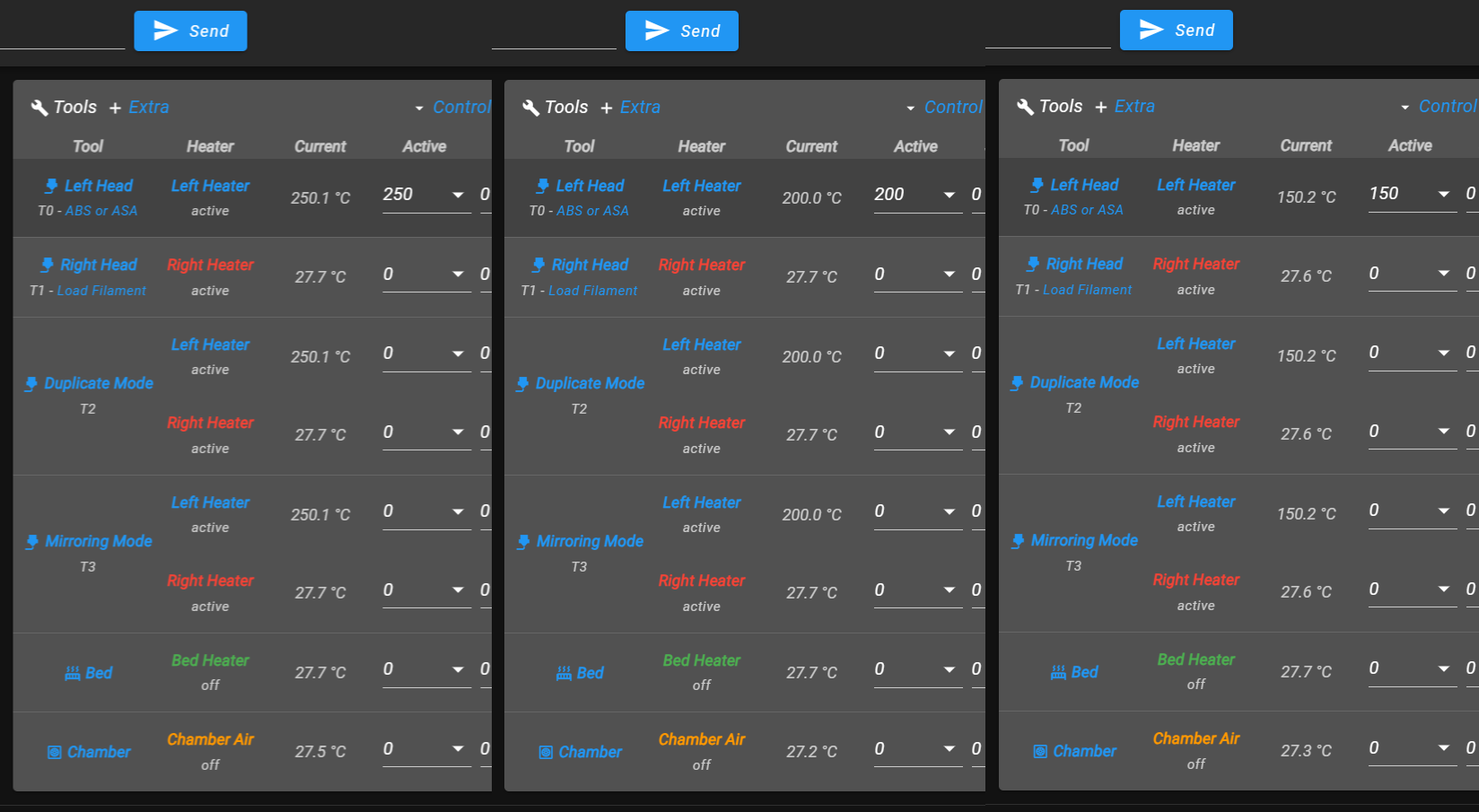
FAQ
Support
If you could not find an answer here, reach out to our support team.