Filament PTFE Tube
Replace the filament guide PTFE tube for either toolhead on the 22 IDEX V3 when filament grinds or loads roughly — clip release, cutting to length, routing.
This guide explains how to replace the filament guide PTFE tube for either toolhead (T0 or T1) on the Vision Miner 22IDEX V3. The PTFE tube provides a low-friction path for the filament between the filament sensor at the rear of the printer and the extruder assembly on the toolhead.
The filament PTFE tube plays a crucial role in guiding the filament accurately and with minimal friction from the entry point (Filament Sensor) to the extruder gears. Over time, the inside surface of the tube can wear down, or the tube itself can become kinked or damaged. Symptoms of a problematic PTFE tube include difficulty loading or unloading filament, filament grinding in the extruder, or inconsistent extrusion. Replacing a worn or damaged tube can resolve filament loading issues and ensure smooth filament feeding.
Before you begin - safety and risk
Read the Safety - Before You Begin article to understand the hazards involved in working on the Vision Miner 22IDEX V3 – including electrical, thermal, mechanical, and chemical risks. All procedures in this wiki are provided as recommendations only. By choosing to follow any procedure, you do so at your own risk.
Tools & Materials
- Replacement PTFE Tube (Must be the correct inner/outer diameter and length. Compare with the original tube.)
- Measuring Tool (Ruler or tape measure - recommended for verifying length)
- Utility Knife (optional – potentially needed for trimming tube)
- Pliers (optional – may assist in gripping the tube if difficult to pull)
1. Preparation
- Power Down: Turn off the printer using the main switch and unplug the power cord from the outlet (recommended).
- Identify Target: Confirm which toolhead's tube (T0 or T1) needs replacing. Locate the corresponding Filament Sensor module at the printer's rear on the same side.
- Gather Supplies: Have the new PTFE tube ready.
2. Removing the Old PTFE Tube
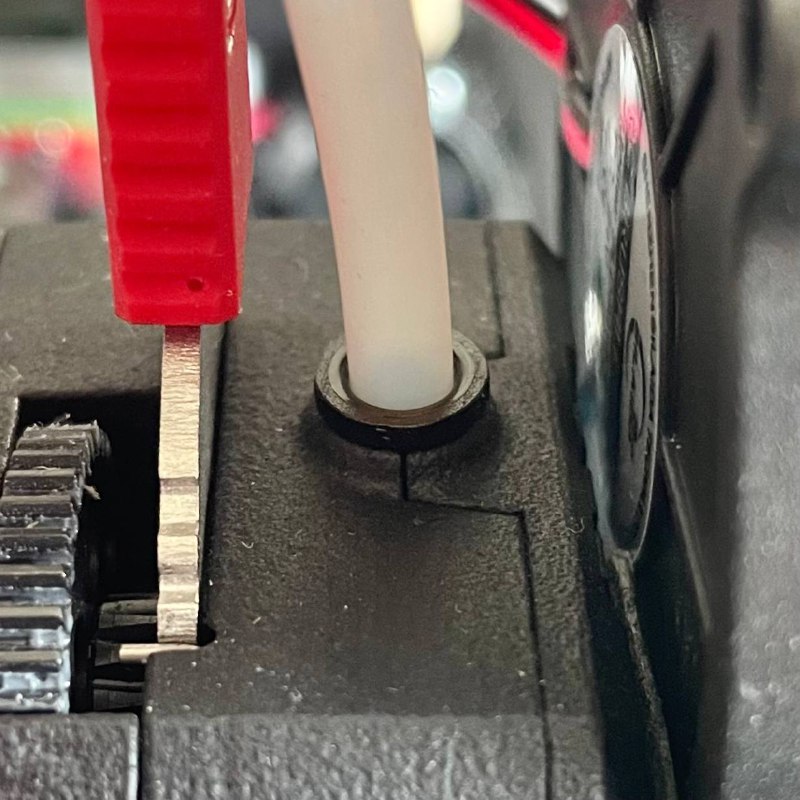
Disconnect from Extruder
- Go to the target toolhead (T0 or T1).
- Locate the Extruder assembly on the toolhead. Identify the PTFE Clip on the top where the filament guide tube enters.
- Press and hold down the top plastic ring of the PTFE Clip firmly towards the extruder body.
- While keeping the clip pressed down, grip the PTFE tube near the clip and pull it straight upwards and out of the PTFE Clip and extruder.
Disconnect from Filament Sensor
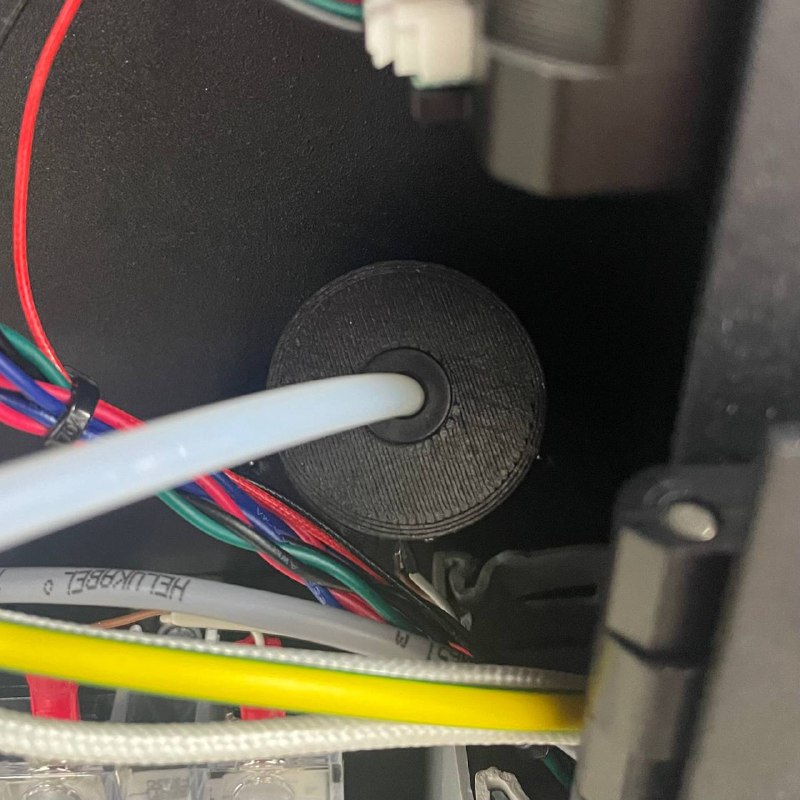
- Move to the rear of the printer. Locate the Filament Sensor module corresponding to the toolhead you are working on.
- Identify the PTFE Clip where the PTFE tube enters this module.
- Press and hold down the top plastic ring of this PTFE Clip firmly towards the sensor body.
- While keeping the collar pressed down, grip the PTFE tube near the clip and pull it straight outwards (away from the sensor) out of the PTFE Clip.
Remove Tube from Printer
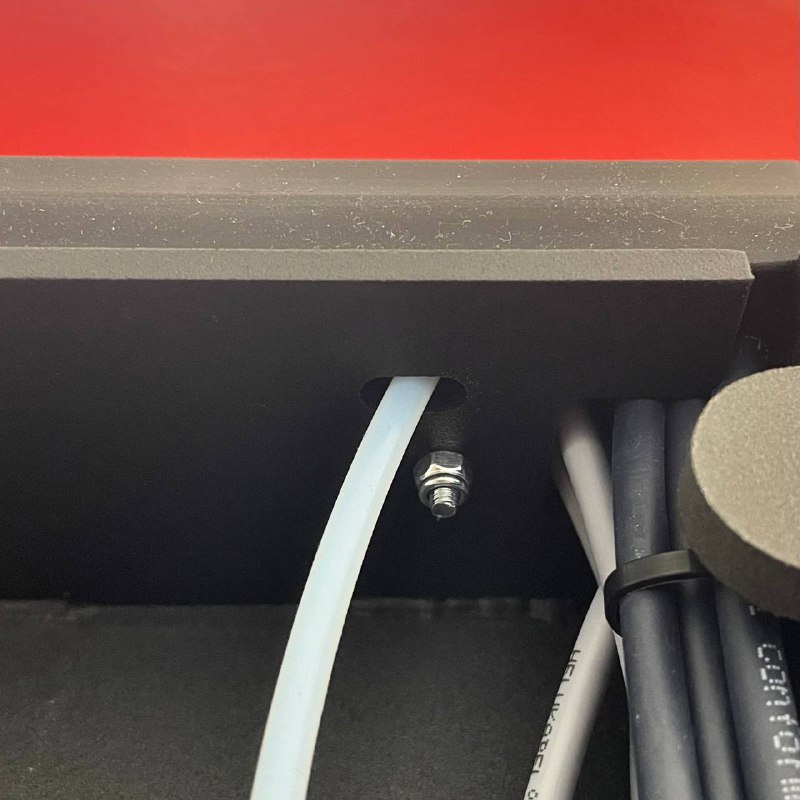
- Gently pull the now-disconnected PTFE tube free from the printer. Note its path through any cable channels or chassis openings. It typically runs alongside the toolhead's main wiring harness.
- (Recommended) Lay the old tube straight and measure its exact length using a ruler or tape measure. Keep this measurement for the new tube.
3. Installing the New PTFE Tube
Verify Tube Length
- Take your new PTFE tube. Compare its length to the old tube you just removed (or the measurement you took).
- If the new tube is longer, carefully cut it to the exact same length as the original using Utility Knife or a specialized PTFE tube cutter. Ensure the cut is clean and perpendicular (square) to the tube. A clean cut is vital for proper function.
Tube length is critical
Using a tube that is too short or too long can cause filament path issues or strain.
Connect to Filament Sensor
- Take one end of the correctly sized new PTFE tube.
- Insert this end firmly and straight into the PTFE Clip on the corresponding Filament Sensor module at the rear of the printer.
- Push the tube in until it hits the internal stop and feels securely seated. Give the tube a gentle tug outwards to confirm it is locked in place by the clip.
Route the Tube
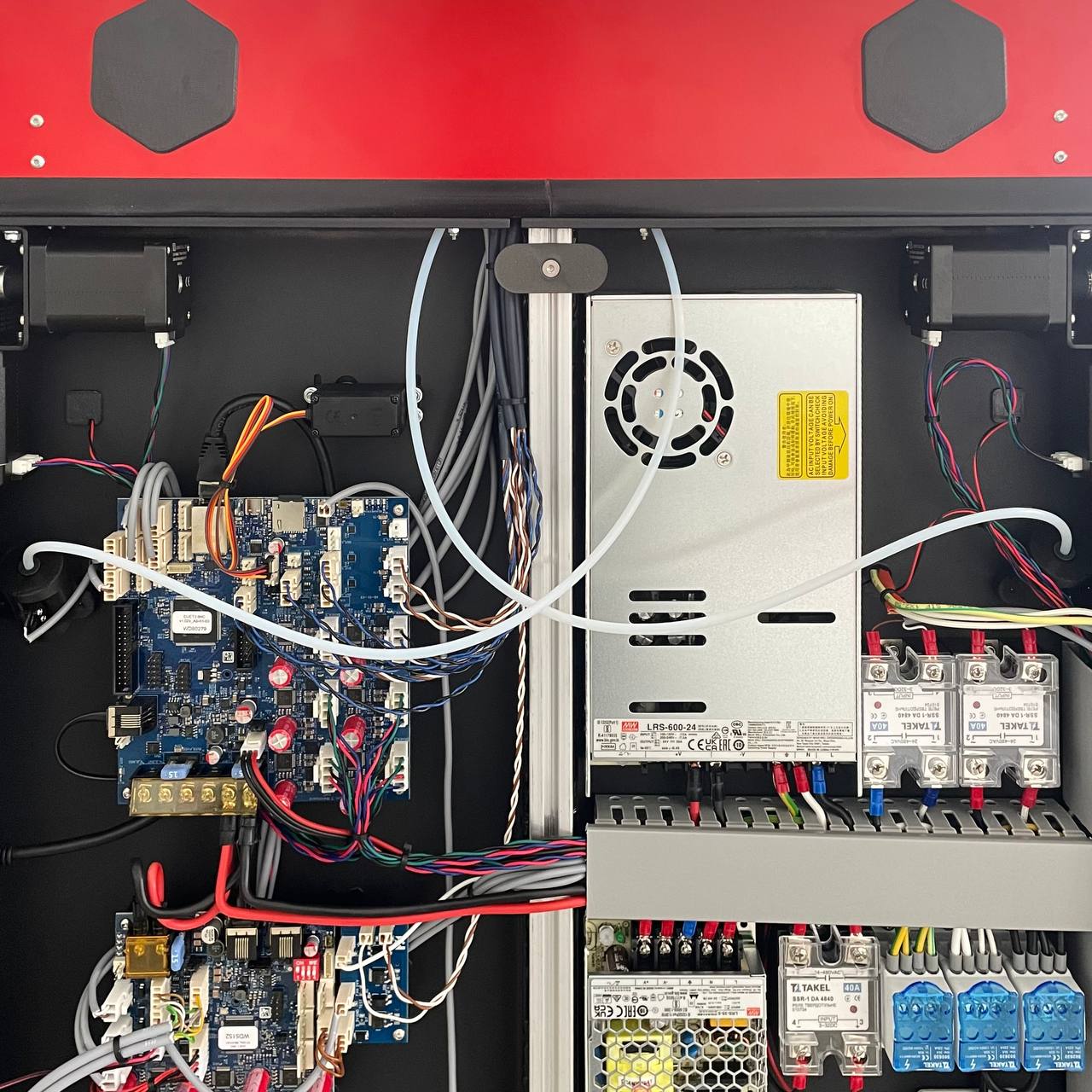
- Carefully feed the other end of the PTFE tube along the same path the old tube followed. Route it through any designated openings in the printer frame towards the target toolhead.
- Guide the tube above the flexible cable channel through the zip ties leading to the toolhead.
Connect to Extruder
- Bring the free end of the routed PTFE tube to the top of the target Extruder.
- Align the tube end with the PTFE Clip on the extruder.
- Insert the tube end firmly straight down into the PTFE Clip until it hits the internal stop and feels securely seated.
- Give the tube a gentle tug upwards to confirm it is locked in place by the clip.
4. Final Checks
- Double-check that both ends of the new PTFE tube are fully inserted and securely locked into their respective PTFE Clips (on the Filament Sensor and the Extruder).
- Inspect the routing path. Ensure the tube is not kinked, sharply bent, or pinched at any point. It should follow a smooth curve along the cable channel.
- Gently move the toolhead by hand (if printer is off) across its X-axis range to ensure the tube and cable bundle move freely without snagging or excessive tension.
- If you powered off the printer, reconnect the power cord and turn it on.
- Test the filament path by loading filament into the toolhead. It should load smoothly without unusual resistance or extruder clicking/grinding. Test unloading as well.
FAQ
Support
If you could not find an answer here, reach out to our support team.