Heater Fault at Print Start
Heater fault cancels the print before it starts — diagnose HEPA fan bed cooling above 140 °C, read the print start log files, and run the heating test macro.
A heater fault during print startup means one of the printer's heaters (bed, chamber, or nozzle) triggered a fault before the actual print began – during the preheat, chamber heating, or heat soak phase in initial.g. The print is cancelled and never starts. This is different from a heater fault during printing. During print startup the printer runs a specific heating sequence with diagnostic logging that helps pinpoint the cause.
Before you begin - safety and risk
Read the Safety - Before You Begin article to understand the hazards involved in working on the Vision Miner 22IDEX V4 – including electrical, thermal, mechanical, and chemical risks. All procedures in this wiki are provided as recommendations only. By choosing to follow any procedure, you do so at your own risk.
Do not disable heater fault detection to work around this problem. Fault detection is a safety system that protects against fire. Disabling it introduces serious risk. If the heater fault occurs repeatedly, do not keep restarting prints. Contact support with the diagnostic files described below.
Why This Happens
The firmware monitors all four heaters (H0: left nozzle, H1: right nozzle, H2: bed, H3: chamber) during the entire startup sequence. If any heater cannot reach or maintain its target temperature within the allowed time and tolerance, the firmware triggers a fault, cancels the print, and saves diagnostic files.
Common Causes
HEPA fan cooling the bed (most common)
The Vision Miner 22IDEX V4 has a powerful HEPA filtration fan that circulates air through the chamber. At high bed target temperatures (above 140 °C), the HEPA fan's airflow can cool the build plate faster than the heater can compensate – causing the bed heater to fault.
This is a known issue. The fix is a firmware update that introduces a three-tier HEPA management strategy during print startup:
| Bed Target | HEPA Behavior During Bed Heating |
|---|---|
| Below 140 °C | Normal operation – HEPA ramps to user-set speed |
| 140–165 °C | Bed lowers to Z350 to reduce airflow impact, gradual HEPA ramp |
| Above 165 °C | HEPA completely off during bed heating, then ramps to 50% for chamber and print |
If you experience bed heater faults during print startup, update your firmware to the latest version. This fix is included in recent firmware releases.
Other possible causes:
- Slow heating – Poor bed insulation, damaged heater wiring, or a degraded heater element. The heater cannot raise temperature fast enough to satisfy the fault detection timeout.
- Temperature sensor issues – Loose or damaged thermistor/PT1000 connection causing erratic readings. The firmware sees sudden temperature drops and faults.
- PSU voltage drop – Insufficient or unstable power supply voltage. When multiple heaters activate simultaneously, voltage drops can reduce heater output. Check board voltages in the diagnostic TXT file (see below).
- Incorrect PID parameters – Custom or corrupted PID tuning values can cause temperature oscillations large enough to trigger a fault. Re-run PID tuning from Macros → System → Calibration → Temperature Tuning.
- Aggressive M570 settings – If someone manually tightened the fault detection parameters (
M570), the heater may fault under normal conditions. The defaults are:- Bed (H2):
M570 H2 P60 T50 R5– 60-second monitoring period, 50 °C tolerance - Chamber (H3):
M570 H3 P600 T70 R5– 600-second monitoring period, 70 °C tolerance
- Bed (H2):
Diagnostic Files
Starting with the latest firmware, the printer automatically logs temperatures and heater parameters during every print startup. If a heater fault occurs, two diagnostic files are saved to the SD card. If heating succeeds, the files are automatically deleted.
File Location
0:/sys/logs/print_start_<timestamp>.csv
0:/sys/logs/print_start_<timestamp>.txt
The <timestamp> in the filename is the printer's uptime value at the moment the print started, so each attempt produces its own pair of files.
CSV File – Temperature Log
Logged every 10 seconds during bed heating, chamber heating, and heat soak. Each row contains:
| Column | Description |
|---|---|
| Elapsed(s) | Seconds since heating started |
| Bed(C) | Bed heater temperature |
| ChamberAir(C) | Chamber air sensor temperature |
| ChamberHeater(C) | Chamber heater sensor temperature |
| LeftNozzle(C), RightNozzle(C) | Nozzle temperatures |
| BedState, ChamberState, H0State, H1State | Heater states (active, standby, off, fault) |
| HEPA_RPM/100 | HEPA fan RPM divided by 100 |
| HEPA_Req | HEPA fan requested speed (0–255) |
| ChamberFan_Req | Chamber circulation fan requested speed |
| Vin_Board0, Vin_Board1 | Input voltage for mainboard and expansion board |
The last line of the CSV indicates when the fault occurred:
RESULT: FAILED - Heater fault during bed heatingRESULT: FAILED - Heater fault during chamber heatingRESULT: FAILED - Heater fault during heat soak
TXT File – Configuration Snapshot
A full snapshot of heater configuration at print start:
- Target temperatures for all tools, bed, and chamber
- M307 heater model parameters (heating rate, cooling rate, dead time) for each heater
- PID values (P, I, D) for each heater
- M570 fault detection settings (monitoring period, temperature tolerance, max bad readings)
- Heater monitors (temperature limits, actions)
- Average PWM for each heater
- Board voltages (current, min, max) for both boards
- MCU temperatures for both boards
- Firmware versions
How to Retrieve Diagnostic Files
-
Open the Web Interface in your browser.
-
Navigate to System in the file manager.
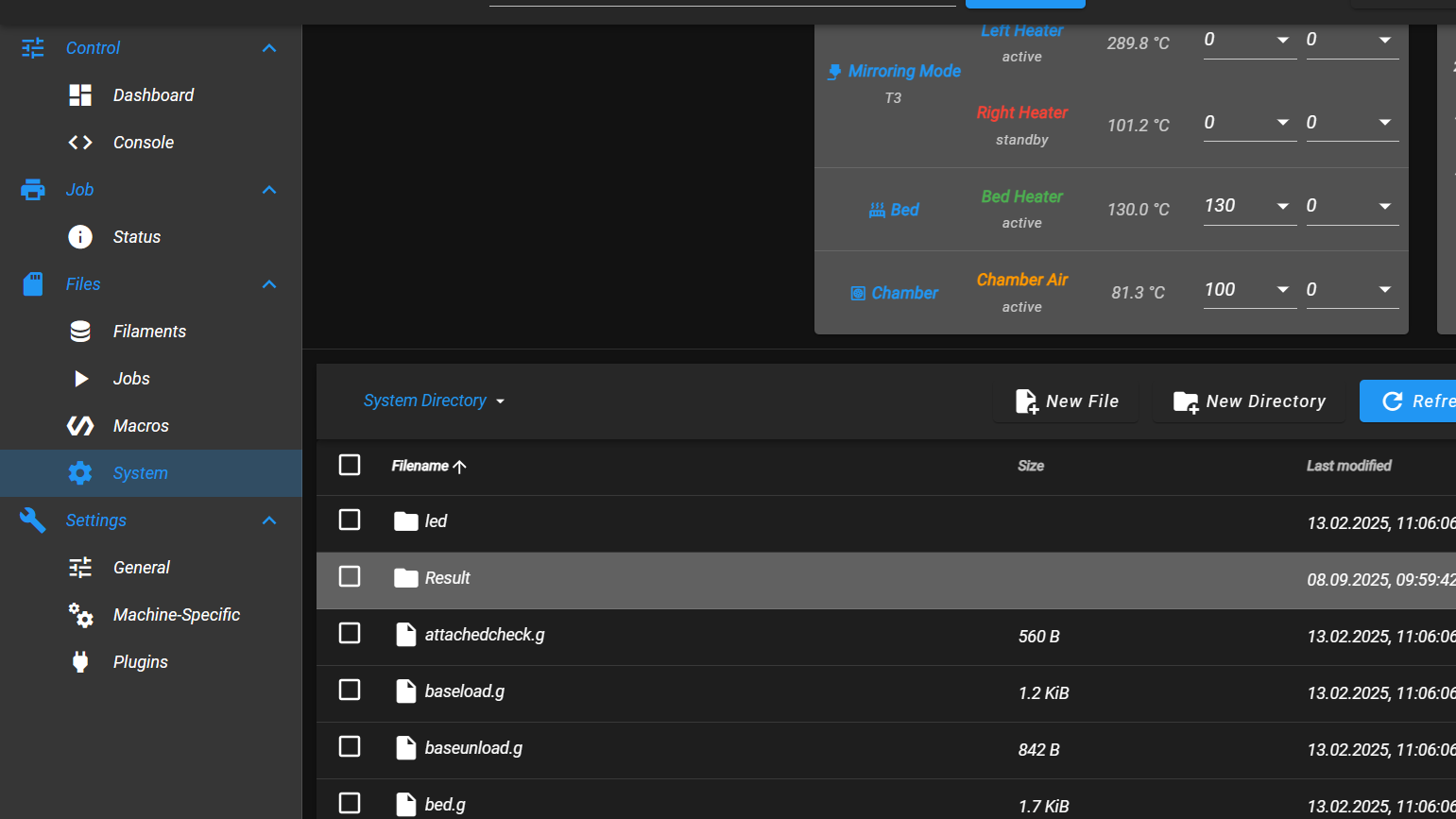
- Open the logs folder.
- Download the
print_start_<timestamp>.csvandprint_start_<timestamp>.txtfiles.
- Send both files to Vision Miner support.
These files only exist when a heater fault occurred during print startup. If the print started successfully, the files are automatically deleted.
Running the Heating Test
If the fault is intermittent or you want to test heating performance independently, use the built-in Heating Test macro. This test runs outside of a print job and produces its own detailed log files.
-
Open the Web Interface.
-
Navigate to Macros → System → Troubleshooting → Heating Test.
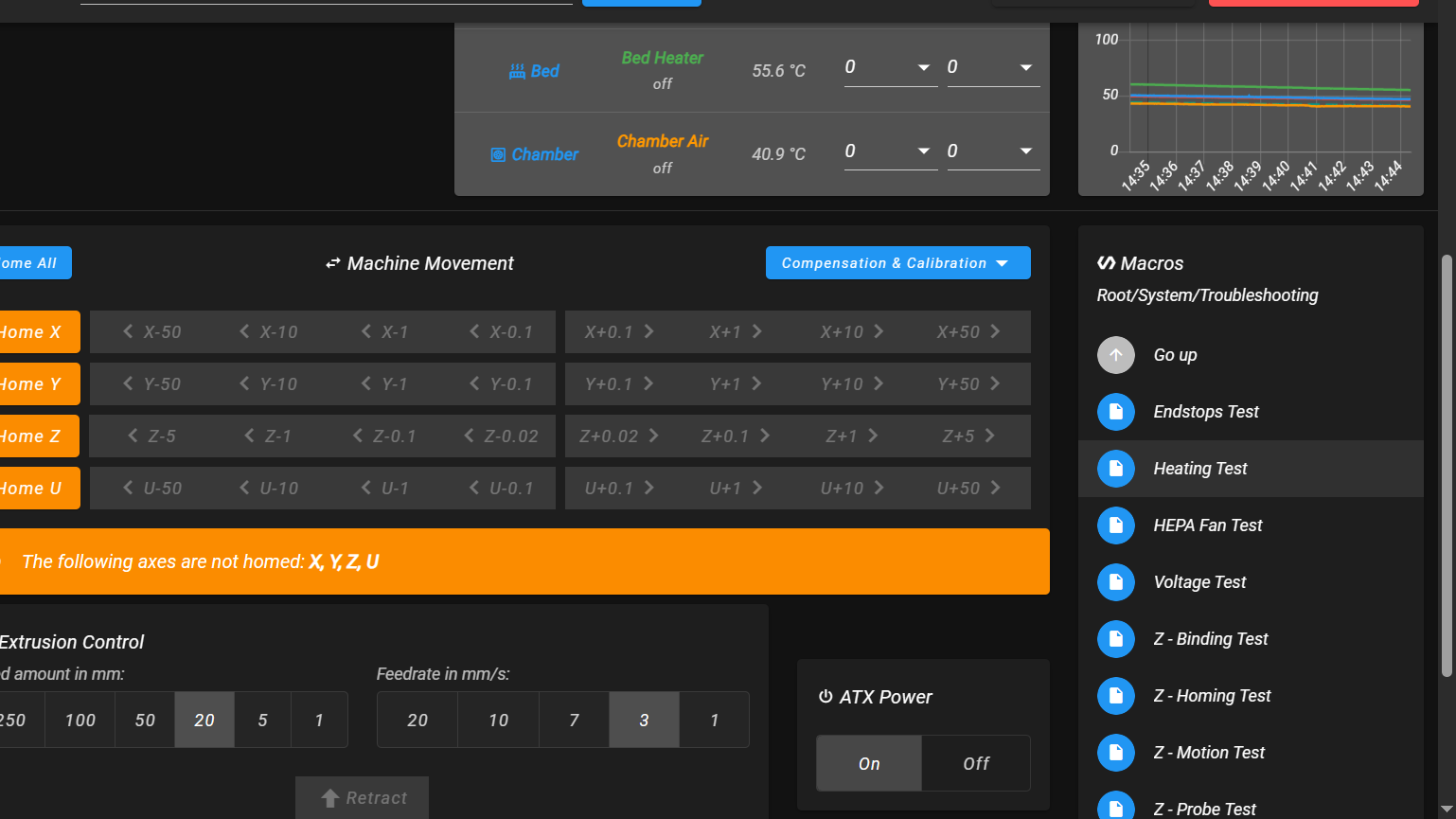
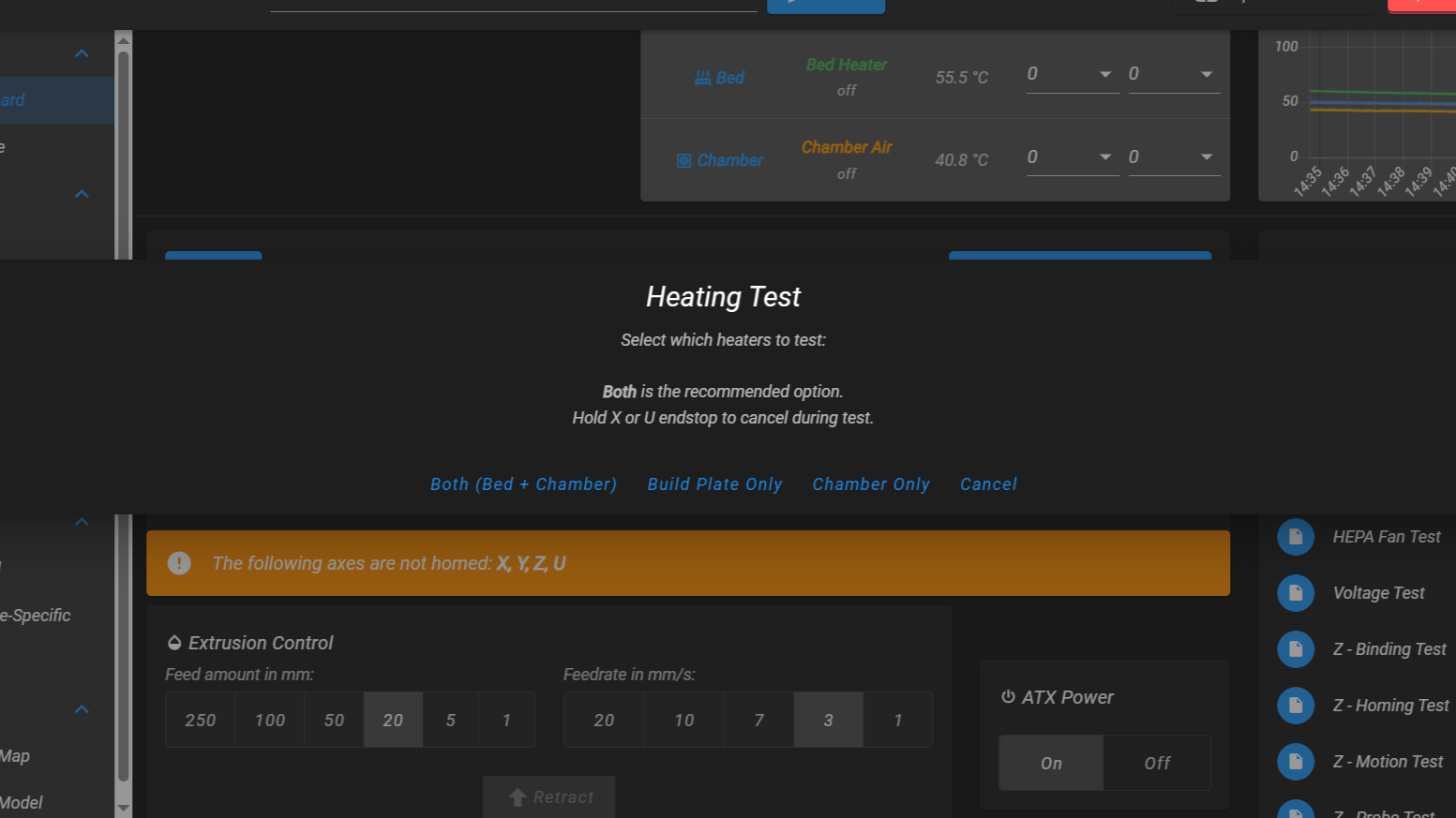
- Select which heaters to test: Both (Bed + Chamber) is recommended.
-
Choose the build plate target temperature (default: 160 °C).
-
Set the build plate Z position for the test (default: 100 mm).
-
The test will heat the selected heaters and log temperatures every 10 seconds.
The test creates its own log files in 0:/sys/logs/:
heating_test_<timestamp>.csv– temperature logheating_test_<timestamp>.txt– heater configuration snapshot
If a fault occurs during the test, it is reported on screen and logged. Download the files and send them to support.
Hold the X or U endstop to cancel the test at any time.
Auto-Shutdown After Heater Fault
The printer can be configured to automatically shut down when a heater fault is detected. This is useful for unattended operation.
To configure auto-shutdown:
-
Open the Web Interface.
-
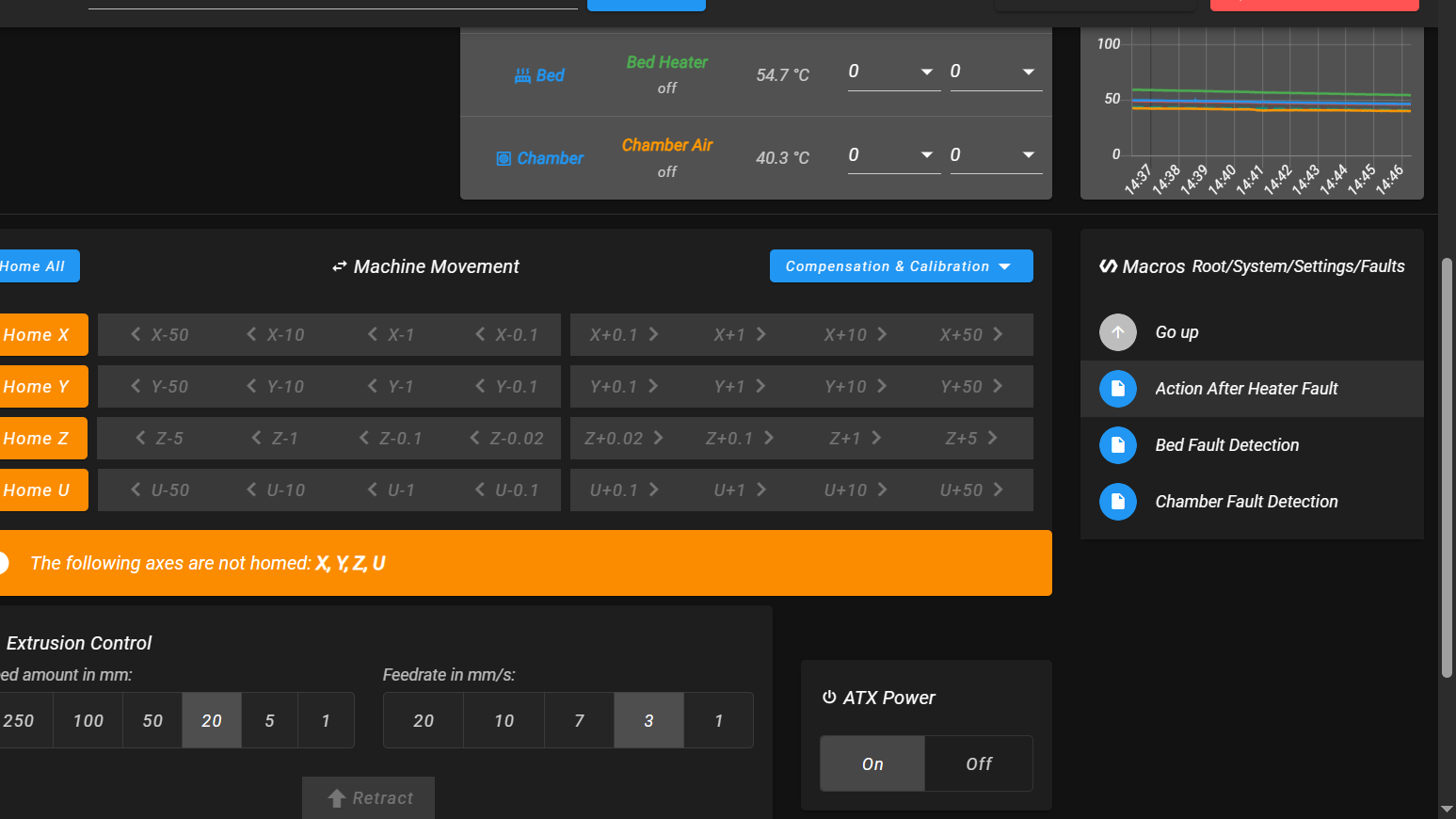
Navigate to Macros → System → Settings → Faults.
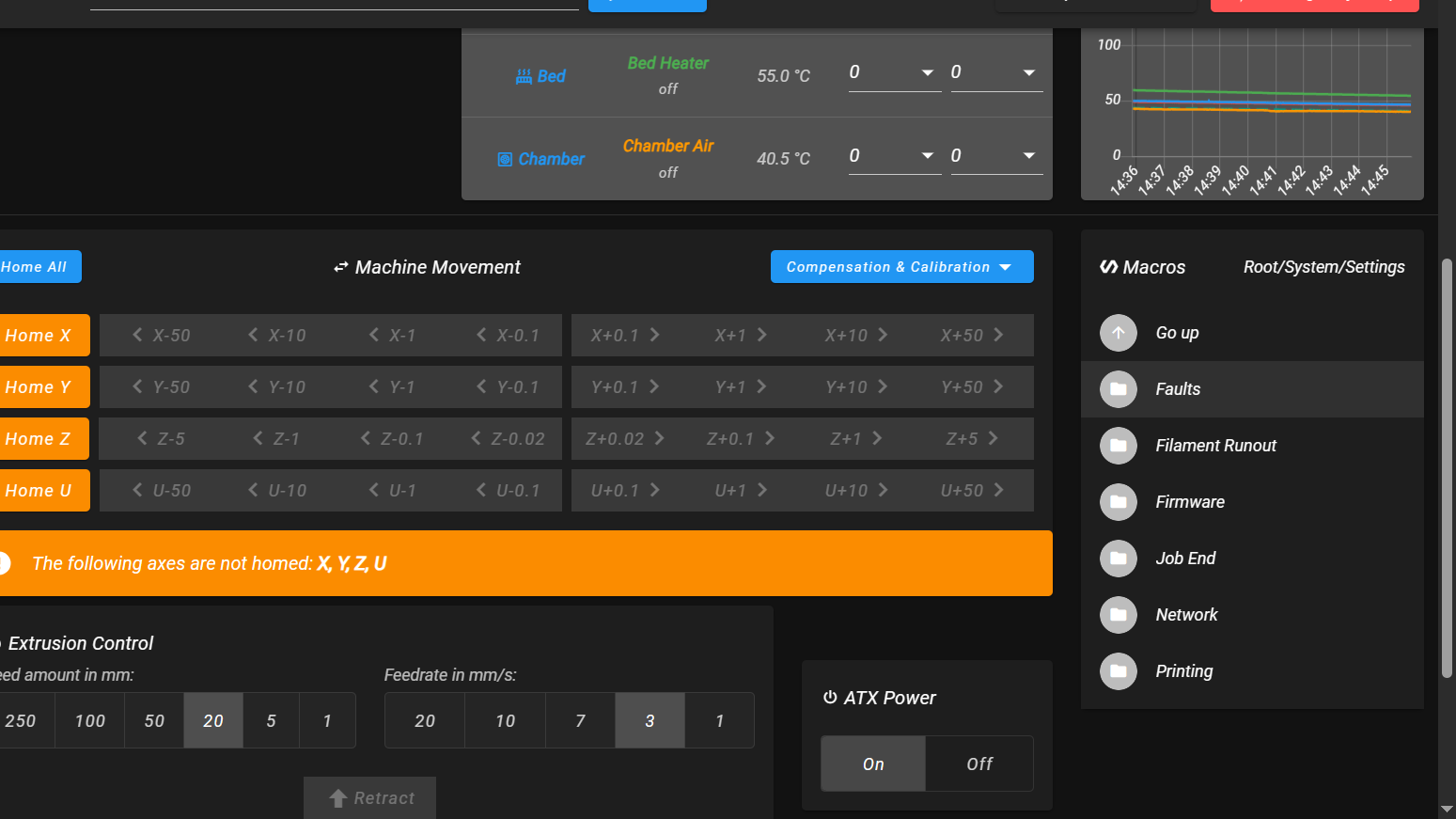
- Run Action After Heater Fault.
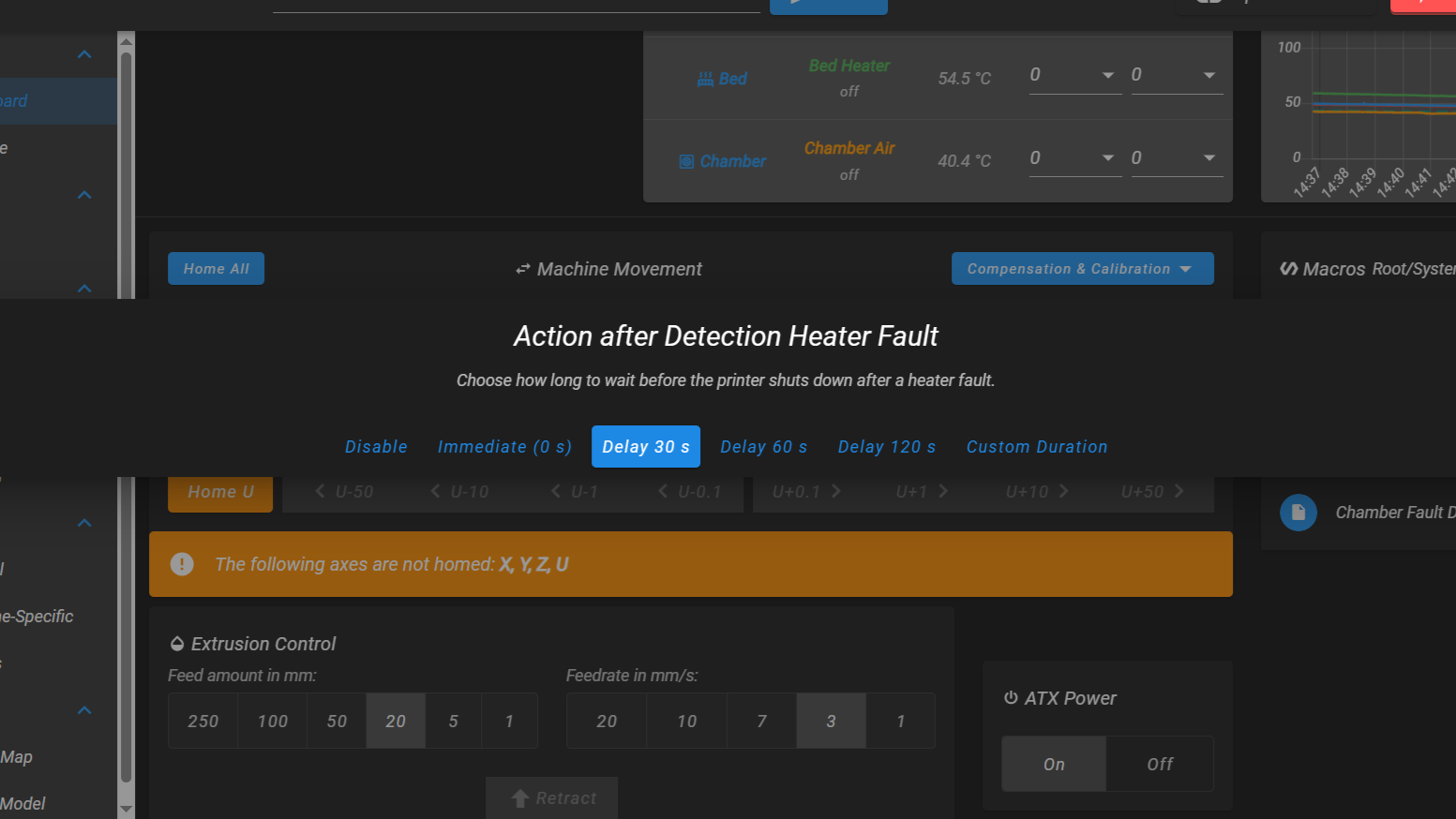
- Select an option:
- Disable – Fault displays a warning, printer stays powered on (default).
- Immediate (0 s) – Printer shuts down immediately on fault.
- Delay 30 / 60 / 120 s – Printer shows a countdown, then shuts down. You can cancel during the countdown.
- Custom Duration – Enter a custom delay in seconds.
When a heater fault occurs:
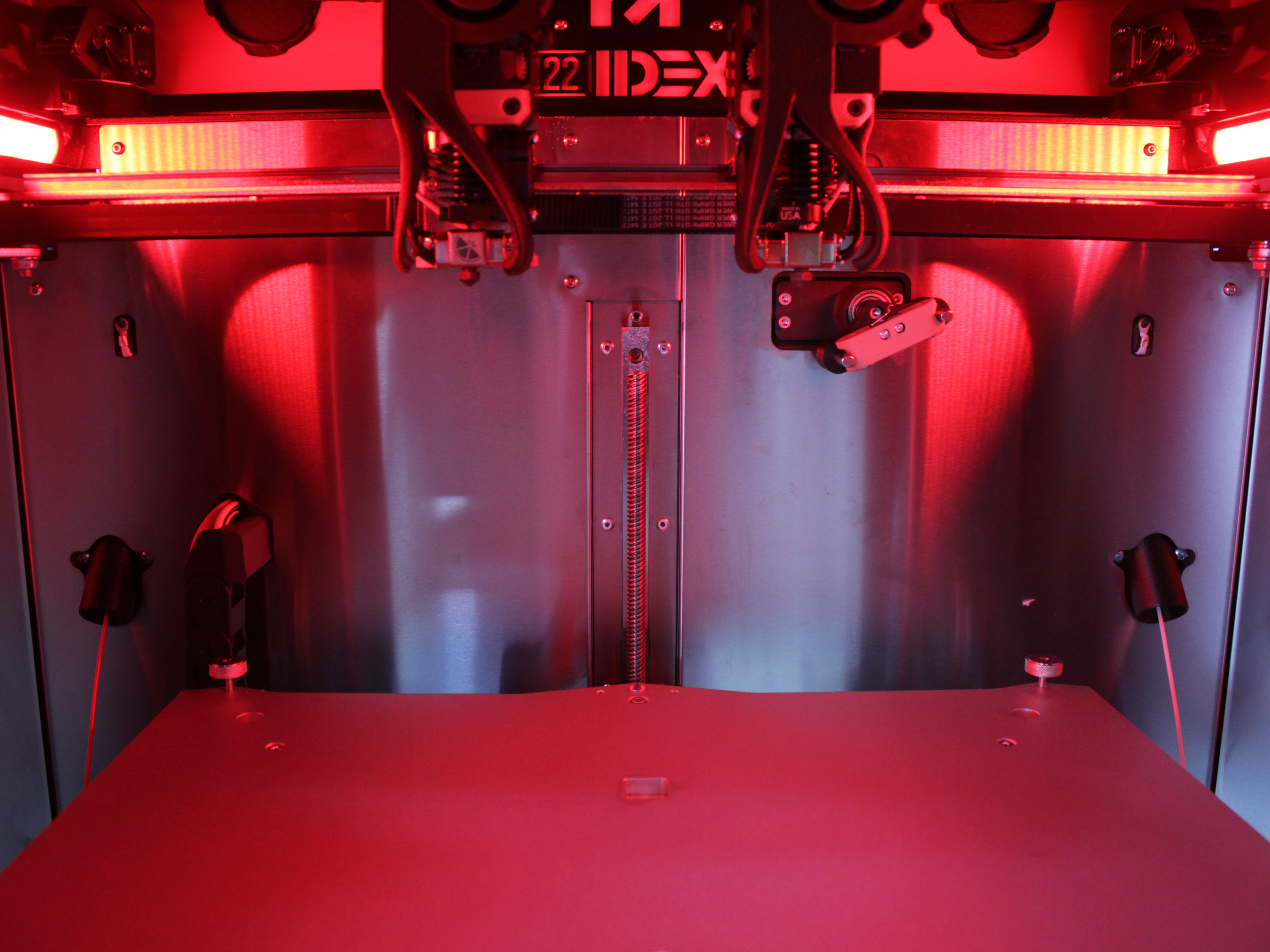
- The LEDs flash red.
- If auto-shutdown is enabled, a countdown dialog appears. Press Keep power on to cancel the shutdown.
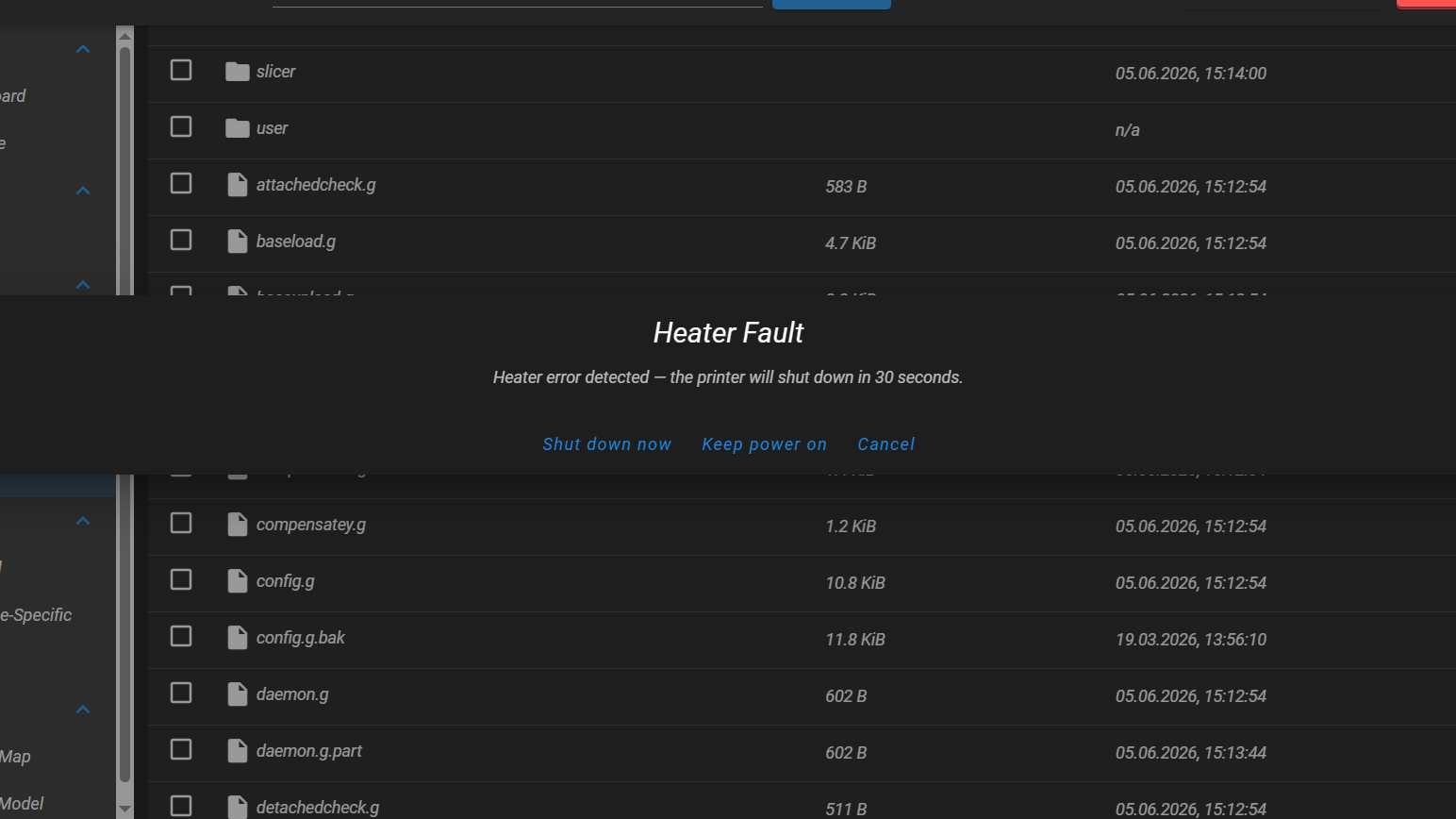
- If the countdown expires or Shut down now is pressed, the printer powers off completely.
FAQ
Support
If you could not find an answer here, reach out to our support team.